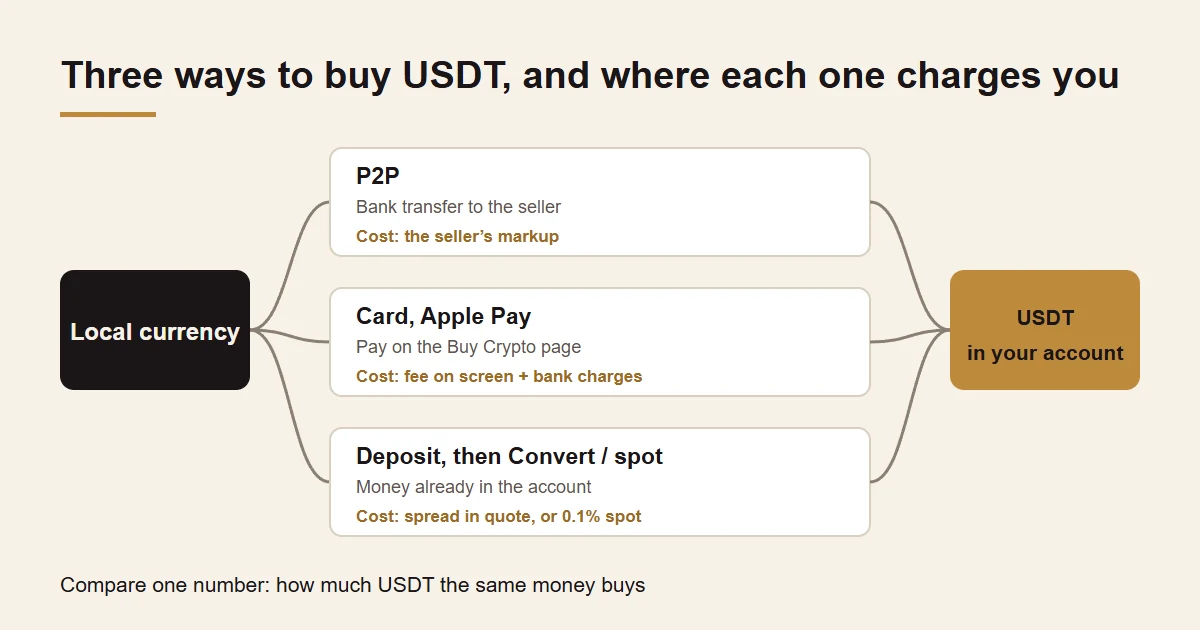
On Binance there are three common ways to buy USDT: buy it P2P from an individual seller and pay by local bank transfer or e-wallet; pay directly with a debit or credit card, Apple Pay or Google Pay; or, if you already hold local currency or another coin in the account, swap it with Convert or the spot market. The cheapest route is not the one that says “zero fees”. It is the one that leaves the most USDT in your account for the same amount of money. On your first purchase, buy just enough to test the whole loop: sell a little back, withdraw it to your own bank account, and only add more once that works.
The cheapest way to buy USDT: compare what lands
| Route | How you pay | Where the cost sits | Suits |
|---|---|---|---|
| P2P | Bank transfer or e-wallet to the seller, using the details shown in the order | The seller's markup over the market price; depending on the market, the platform may also charge a trading fee | People with a local bank transfer route who can spare a few extra minutes |
| Card, Apple Pay, Google Pay | Directly on the Buy Crypto page | The fee and rate on the confirmation screen; some banks add a quasi-cash charge | Small amounts, when speed matters |
| Convert or spot | Local currency or another coin already in the account | Convert charges no trading fee but the spread is built into the quote; spot charges regular users 0.1% | People whose country supports fiat deposits, or who already hold another coin |
There is one reliable way to compare: take the same amount of money and look at how much USDT each route's confirmation screen says you will receive. Divide what you pay by the USDT you get and you have your real price; the gap to the market price shown on the platform is everything that purchase cost you. To turn that gap into a percentage, use the FX spread calculator.
As a rule of thumb, a card is the easiest option for small amounts and the extra cost stays small in absolute terms; for larger amounts, the savings from P2P or a spot limit order become worth the effort. P2P prices differ from merchant to merchant even at the same moment, so scroll past the first few offers before you order.
How to buy USDT with Binance P2P, step by step
- Open P2P trading on the Binance website (Trade, then P2P) or in the app. Choose Buy and USDT, then the currency you will pay in and your payment method.
- For each offer, check three things: the price, the order limits on that ad, and the merchant's number of completed orders and completion rate. Your amount has to fall inside the limits.
- Enter the amount, check how much USDT you will receive and place the order. From that moment the seller's USDT is held in Binance escrow and is released only when the trade is completed on both sides.
- Pay using the payment details shown in the order, within the time the order allows. Then return to the order and click [Transferred, Notify Seller].
- Wait for the seller to release the USDT. If it has not arrived within the release time shown, click [Appeal] in the order and customer service takes over.
- When the order completes, check the amount in your balance.
Some merchants ask first-time buyers for extra identity verification, such as a copy of an ID in the order chat or a check through a third-party verification service. Binance explains that some merchants are regulated entities required by law to collect this information. If you would rather not share it, pick a merchant that does not ask, and never send ID documents anywhere outside the order.
Check these three things before you pay a P2P seller
The account name matches the seller's verified name. The order shows the name the seller verified with Binance. The name on the account you are paying has to match it. If it does not, or the seller asks you to pay “a friend's account” or “the company account”, do not pay; cancel and pick another seller.
You pay from an account in your own name. Binance's P2P User Transaction Policy asks buyers to use a payment method whose owner name matches their registered Binance name. If you pay with someone else's card and the trade ends in a dispute, the policy says the buyer bears the loss alone, and using a payment method that is not in your verified name suspends your P2P access for at least seven days.
Every conversation stays in the order chat. Refuse any request to move to social media, another messaging app or a face-to-face meeting. The policy says plainly that you should never trade through such channels, and messages sent outside the platform will not help you in an appeal.
Two buttons need care. Once you have sent money, do not click [Cancel] unless the seller has already refunded you, and do not click [Transferred, Notify Seller] before you have actually paid. Cancel three orders in one day and P2P ordering is blocked for the rest of that day.
Buying USDT with a debit card, credit card, Apple Pay or Google Pay
On the Binance website, log in and click [Buy Crypto], enter the amount, choose the card payment option, add a card or pick a saved one, review the payment details and fees, click [Confirm] and complete your bank's verification. Visa and Mastercard credit and debit cards are accepted, as are Apple Pay and Google Pay, and an account can link up to five cards.
Card purchases have a daily limit; you can raise it from the same page by completing more verification. Beyond Binance's fee, watch your bank: some banks classify crypto purchases as quasi-cash transactions and add a fee, and a credit card issuer may treat the purchase like a cash advance. That charge goes to your bank, not to Binance, so only the card issuer can explain or refund it. Before you buy, check how your card handles these transactions, or try a small amount and look at the statement.
If the card is declined, the issuer has usually blocked the crypto purchase. Call the bank and ask whether such payments are allowed rather than retrying over and over; repeated failures in a short time may draw the bank's fraud checks.
Already have local currency or another coin: Convert and spot
In some countries you can deposit local currency straight into a Binance account. Once it is there, you have two ways to turn it into USDT. Convert is the simplest: type an amount and you get a quote that is held for a short time while you review it. Binance says Convert charges no trading fee, but the spread is included in the quote, and the amount shown in the preview is what you receive.
Spot means placing your own order on the trading page. Regular users pay a 0.1% spot trading fee, cut by a quarter if they pay fees in BNB. With a limit order you set the price, at the cost of possibly waiting for a fill. The larger the amount, the more it is worth comparing spot against Convert.
Buying USDT with cash or from someone in person: why to avoid it
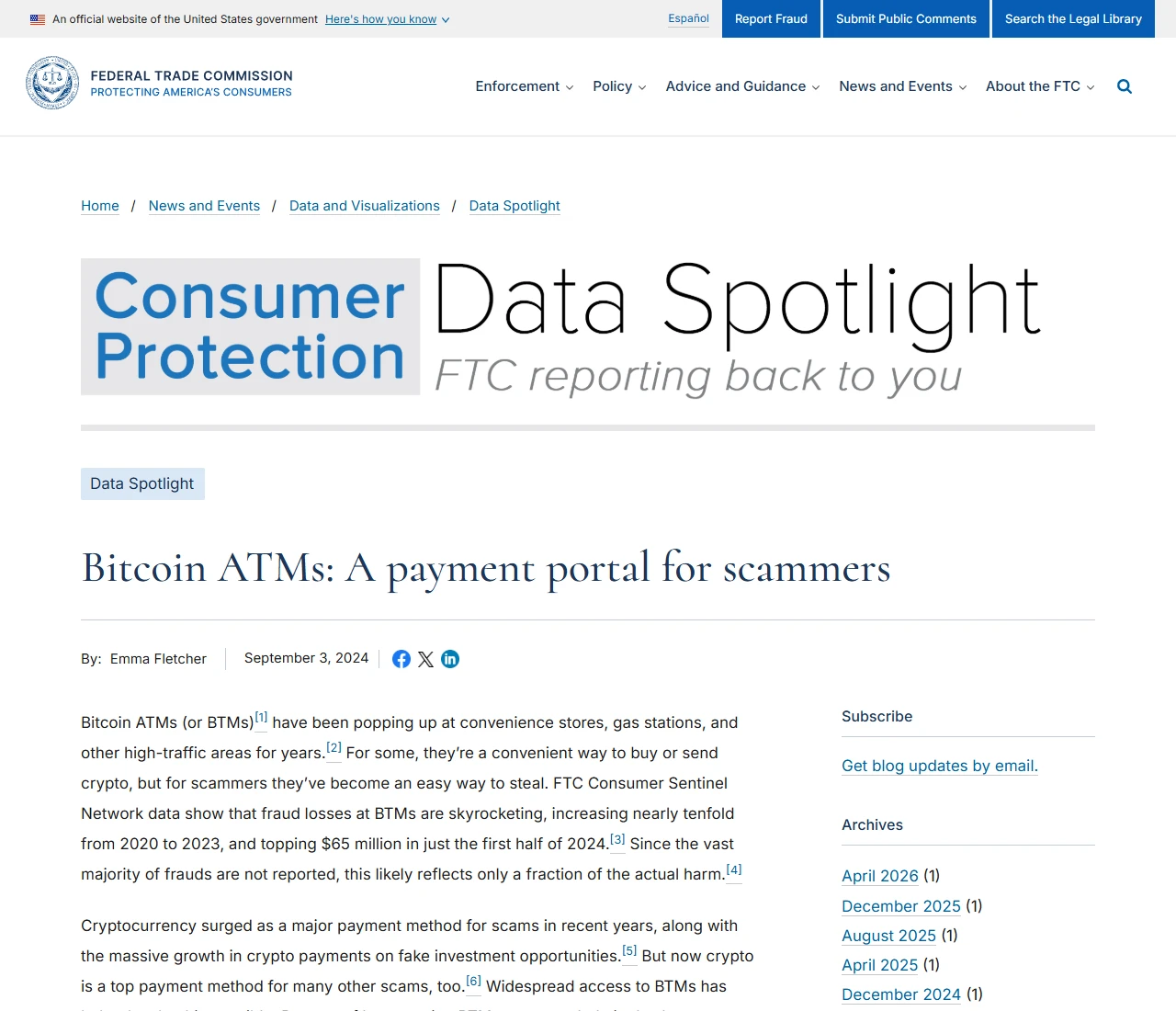
Search “buy USDT with cash” and two options come up: crypto ATMs, and people who offer to swap cash for coins face to face. Crypto ATMs have become one of scammers' favourite ways to get paid. In a September 2024 data spotlight, the US Federal Trade Commission reported that fraud losses at these machines rose nearly tenfold from 2020 to 2023 and topped $65 million in the first half of 2024 alone, with a median reported loss of $10,000 in that half-year. The most common scripts were government impersonation, business impersonation and tech support scams, all ending with the victim feeding cash into a machine.
The problem with an in-person deal is that there is no escrow. If the other person takes your cash and never sends the coins, or sends coins with a bad history, there is no one to appeal to. Anyone who calls or messages out of the blue and tells you to withdraw cash and buy crypto to “protect your money” or “help an investigation” is running a scam: hang up and check through official channels you look up yourself. The common scams and what to do in the first hour after one are in scams and account safety.
After you buy: check first, then decide where it goes
First check that the amount in your balance matches what the order showed. USDT sitting on the exchange does not involve a network yet; you choose one only when you send it somewhere, and it has to be a network the receiving side supports. Pick the wrong one and the coins may not come back; see pick the right network before you send.
Tether's website lists the networks it currently supports and says it no longer issues, or is obliged to redeem, USDT on Kusama, Bitcoin Cash SLP, Omni, EOS and Algorand. If a platform still sells USDT on one of those chains, do not buy it there.
Finally, sell part of what you bought back into local currency and withdraw it to your own bank account, as described in turning USDT back into cash. Once the money is back in your account, the route is proven and you can decide how much to keep and for how long.
Is buying USDT legal, and can it get my bank account frozen?
That depends on where you live. Some countries allow individuals to buy and sell crypto, some restrict it and some ban it, and Binance itself does not serve every country; US residents, for example, are served by the separately run Binance.US. If your country is not in the residence list at sign-up, Binance does not serve it, so do not register with a false address. To check the rules where you live, read the announcements on your central bank's or financial regulator's website.
As a rule, buyers run into frozen accounts less often than sellers, because the money is leaving your account rather than arriving. The real risk is paying an account you cannot account for: if a seller sends you to an account that does not match their verified name, your payment may become one link in someone else's fraud, and your account may be pulled into the investigation. Check the three points above and keep the order number, proof of payment and chat history; if something goes wrong, they are your evidence. Frozen accounts are more common on the selling side; how to lower that risk is covered in the cash-out traps and scams.
Common questions
Sources
- Binance: Introduction to Binance P2P trading (escrow and fees)
- Binance: How to buy cryptocurrency on Binance P2P (web)
- Binance: P2P User Transaction Policy
- Binance: Why some P2P merchants require additional verification
- Binance: How to buy crypto with a credit or debit card on the website
- Binance: Frequently asked questions on Binance Convert
- Binance: Spot trading fees
- Tether: Supported protocols and integration guidelines
- US Federal Trade Commission: Bitcoin ATMs, a payment portal for scammers