Before looking at a “zero fee” label, copy the amount charged, the quoted rate and the amount due to arrive. For the same local-currency spend, the route that delivers fewer dollars costs more; the mid-market rate and fee lines explain where the gap went.
Compare net dollars, not fees
To compare two routes, hold the local-currency amount and the time of the quote constant. Record three numbers: the platform rate, any separately listed fee and the dollars you actually receive. The last number captures the combined effect of the rate and the explicit fee, so a “zero fee” label cannot settle the comparison by itself.
Next, use the mid-market rate from the same time to calculate how many dollars that local amount would buy at the benchmark. Subtract the amount that arrived: the difference is the total conversion loss. Compare that with the fee line and the remainder will usually be the exchange-rate markup, or spread. The worked example below does this with the ECB reference rate and a hypothetical bank quote.
How to check the mid-market rate
The mid-market rate (also called the interbank rate or the market midpoint) is the number sitting exactly between the buy price and the sell price. It is the shared reference every quote builds on, with no markup added, so it is your baseline for judging every price you are shown.
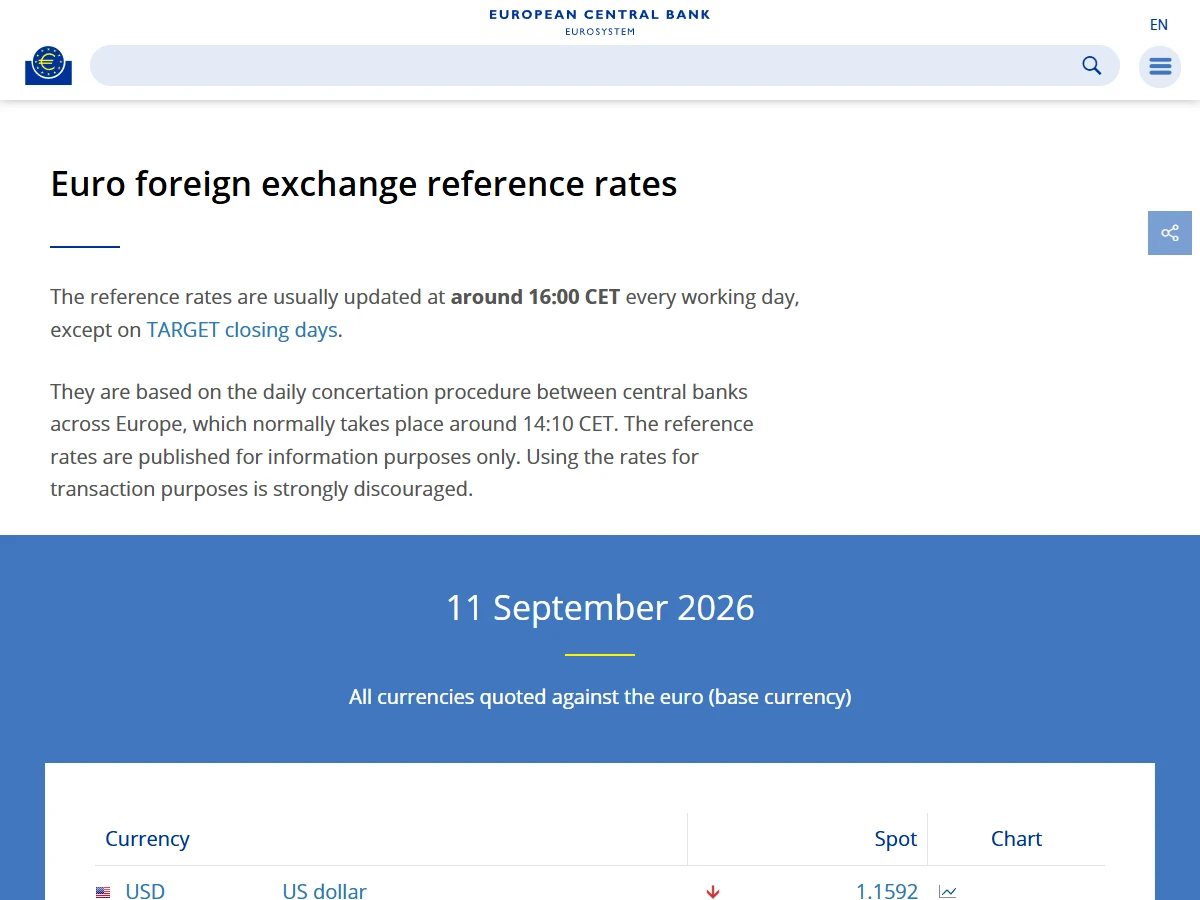
Where to look depends on the number you need. For the rate right now, search the currency pair (your currency against the dollar, say) on a common currency converter and compare two or three. For a figure you can point to later, use the European Central Bank's euro reference rates, updated around 16:00 CET each working day for about 30 currencies. On 11 September 2026 the ECB's dollar rate was 1 euro = 1.1592 dollars.
The spread is the gap between the quote and the mid
Once the mid-market rate is clear, the spread takes one sentence: the spread is the gap between the price the platform quotes you and the mid-market rate. A platform will not convert at the mid. It adds a little on top of the mid (quoting you a touch dearer when you buy dollars, a touch cheaper when you sell), and that added slice is a piece of its revenue, which is a piece of your cost.
The catch: the spread is usually not listed under the “fee” line. It is folded straight into the rate. So when you see “zero fee”, that does not mean the conversion was free. It only means the explicit-fee line is zero, while the hidden line (the spread) is still there. You have to read both lines together to know the cost.
How to read a fee page: go to the platform’s pricing or fees page and look for these words: exchange rate (the rate it uses), mid-market rate (whether it states it uses the mid), markup or spread (the added margin), and fee (the explicit charge). Some platforms state plainly, “we use the mid-market rate and charge a separate fee”. Others bury the whole cost in the rate and list nothing. Whether a channel can spell out its cost is itself a clue worth weighing.
Charges you can see, and ones you can't
Splitting the cost of a conversion into two kinds makes things much clearer:
| Type | What it looks like | Where to find it | Easy to miss? |
|---|---|---|---|
| Explicit fee | A stated commission, transfer fee or fixed charge | The fee line, the statement detail | No, it is out in the open |
| Hidden fee (spread) | The markup folded into the rate | Only visible when you compare against the mid | Yes, often masked by “zero fee” |
| Add-on charges | Intermediary-bank fees, withdrawal fees, currency-conversion fees | The fine print, the reconciliation after it lands | Fairly easy, scattered across steps |
Whether a provider charges each item, and how, is on its price list and order screen.
Plenty of channels are happy to push the explicit fee very low, even to zero, because they earn on the hidden fee (the spread). That is not necessarily a bad thing. The point is that you need to know where to look and how to compute it, so you can compare channels properly.
Why “zero fee” can cost more
“Zero fee” is a wonderfully useful piece of ad copy, because it is true: the explicit-fee line really is zero. The trouble is it tells only half the story. When a channel drops the explicit fee to zero, it usually shifts the cost into the hidden fee, which means it widens the spread. The result: the one advertising no fee can leave you with fewer dollars than a channel that charges a clear, stated fee but uses the mid-market rate.
So “zero fee” is not a scam, but it is a misleading frame. Only one standard cuts through every bit of marketing when you judge whether a conversion was expensive: for the same amount, how much ended up in your hands. Ignore the words on the fee line. Look at the number at the finish.
Back out how much the spread took
In practice it takes three steps:
- Before converting, find the current mid-market rate on a public rate page and write it down.
- On the order screen, note the price you are given and the amount you will receive or be charged.
- Set the quote against the mid; the difference is what the spread took on this conversion. As a percentage, it can be compared across providers.
Here are the three steps with real numbers. Say you are in the euro area and want to turn €1,000 into dollars. The reference rate is the ECB's 1.1592 for 11 September 2026; the bank's quote is a hypothetical 1.1350, advertised as fee-free.
| Step | Value | Note |
|---|---|---|
| Owed at the reference rate | $1,159.20 | 1,000 × 1.1592 |
| Received at the bank's quote | $1,135.00 | 1,000 × 1.1350 |
| Taken by the spread | $24.20 | The difference, hidden in the rate |
| Stated fee | $0 | This is the so-called “zero fee” |
| Real total cost | $24.20 | About 2.1% of the amount owed |
The reference rate is the ECB's published figure for 11 September 2026; the bank quote is hypothetical, used to show the method.
Spread calculator
Put in the mid-market rate and the platform’s quote, and see how much this conversion loses to the spread. Everything is computed locally in your browser; nothing is uploaded or stored.
Fill in all three (each greater than 0) and the result appears.
The result uses only the numbers you enter. What you can actually get is the amount received on the provider's order screen.
The fee line says zero and the real cost is $24.20. That money is not on the fee line; it sits in the gap between owed and received. Repeat the three steps with another provider and you can see for yourself whose spread is wider.
Weekend and holiday delays
Beyond cost there is one more hidden price that is easy to overlook: time. Many cross-border conversions and transfers ride bank settlement systems, which do not process on weekends and holidays. A transfer you start on a Friday night may not truly land until Monday or later. The rate moves over that window, and the money sits unusable.
This is not a fee, but it is a real cost. If you have a deadline (a payment to make, say), confirm the channel’s settlement timing before you convert, and avoid starting one over a weekend or a long holiday. It saves a good deal of anxiety.
Don’t gamble timing on money you need
Once you know how the spread works, some people flip it around: should I wait for a “good rate” before converting? For money you actually need, my view is don’t gamble. No one can reliably predict where the rate goes in the short run, and betting on timing to save a sliver of spread often costs more than it saves. The cost of picking the wrong channel and going back and forth tends to hurt more than a passing wobble in the rate.
The steadier approach: pick the channel well (tight spread, transparent terms), get the process running smoothly, convert when you need to, and don’t let “wait for a better price” turn into an endless dither. For how the different containers compare on cost and trade-offs, read on: Where to hold US dollars: bank account, wallet, broker or stablecoin; for multi-currency wallet fees, see Can Wise or Revolut hold your dollars?
Pay in the local currency at the card terminal
When you pay by card abroad or on a foreign website, the terminal or checkout page sometimes offers to charge you in your home currency. This is dynamic currency conversion (DCC). It looks convenient, but the rate is set by the merchant's payment provider and is often worse than the one your own card issuer would use.
When offered the choice, pick the currency of the country you are paying in, dollars in the US or yen in Japan, and let your card issuer convert. If the receipt or checkout page shows both amounts, you can check the gap against a reference rate on the spot.
Since April 2020 the EU has required whoever offers this conversion to show the markup before you pay, as a percentage over the ECB reference rate. That is what a reference rate is for: with a public yardstick, a markup has nowhere to hide.
Common questions
Sources and updates
- European Central Bank: euro foreign exchange reference rates ↗
- EU Regulation 2019/518: cross-border payment and currency conversion charges ↗
- Wise: fees for holding, receiving and spending ↗
- Wise: receiving fees and limits ↗
- Wise: multi-currency account overview ↗
- Binance: spot fee and transaction overview ↗
- Binance: spot trading fee calculation guide ↗
- FCA: protection when using non-bank payment providers ↗